 Textend
One draft: how do you deliver it as Word, PDF, or HTML?
Will the recipient keep editing, read a fixed page, or open the draft in a browser? Use real exports of one Textend manuscript to choose a format, inspect the result, and retain the Markdown source.
Ask what the recipient needs to do next
A finished article may lead to three requests: “Send Word so I can add a section,” “Give me a PDF to read in the meeting,” or “Can I open it in a browser?” The content may be the same, but the next task determines how to deliver it.
Keep writing in the same Markdown draft in Textend rather than rebuilding it for every recipient. Save the source, choose a suitable export, and open the result to inspect it. Retain the source for further revisions.
Distinguish continued editing from reading a particular version. Editing calls for usable paragraphs and tables. Reading calls for clear type, appropriate page breaks, and complete content. Begin with the recipient’s task, then choose the extension.
| What happens next | A useful starting point | Export access in Textend |
|---|---|---|
| Continue editing in Word or a similar editor | DOCX | Pro or an active trial |
| Read or print fixed pages | Free | |
| Read formatted content in a browser | HTML file | Free |
| Keep writing in a Markdown editor | Markdown source and required attachments | Free |
Inspect four files from one manuscript
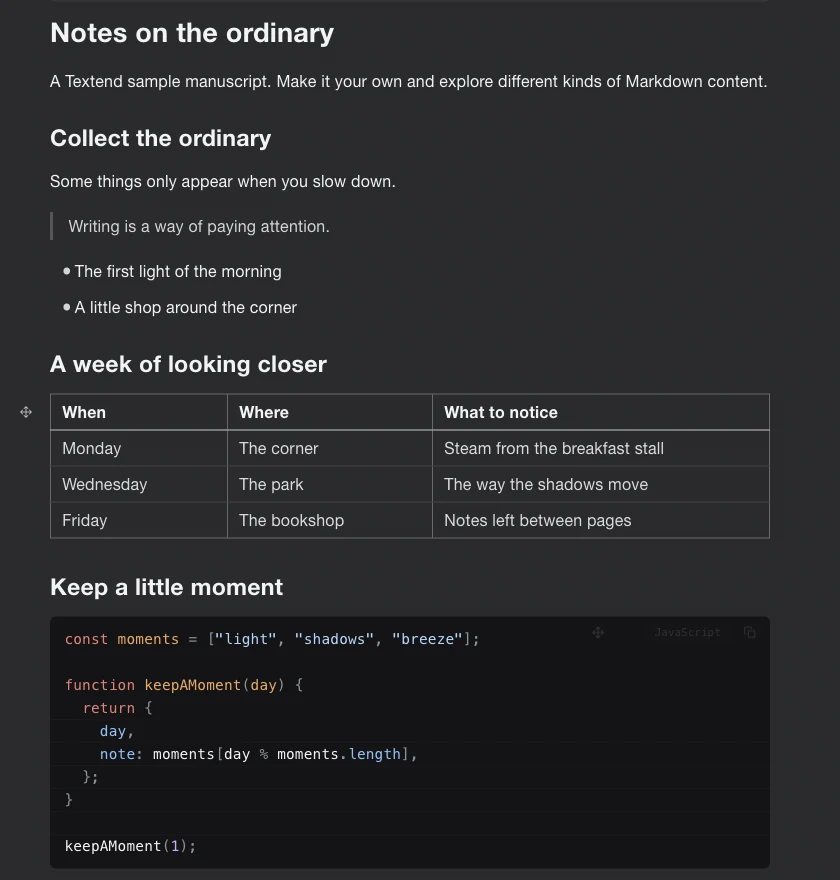
We will use Notes on the ordinary from the website’s real export samples. It contains a title, section headings, a quotation, a normal list, a three-column table, and JavaScript code. The Chinese and English versions follow the same structure.
The Markdown, DOCX, PDF, and HTML files below come from that same delivery manuscript. Open the Markdown in Textend, then compare the exported headings, observation-plan table, and code. All sample downloads are free; the entitlement required to perform an export inside the app is a separate matter.
The sample contains no pictures, equations, diagrams, footnotes, or table of contents. It is not evidence that every element behaves identically in every format. Include the structures in your own manuscript when checking it, especially long tables, special characters, and local pictures.
Save the source before choosing an export
After making your changes in Textend, use File → Save, Command+S on macOS, or Ctrl+S on Windows. Then choose the required format under File → Export and confirm its destination and filename. This helps keep the delivery tied to the version you intend to send.
Use a filename that identifies the subject and version, such as observation-plan-reviewed.pdf. When feedback arrives, revise the Markdown source and export the next version. Keep previously sent files separately if you need that record.
A successful export means a file was produced; you still need to open it. If Textend reports an unreadable picture, a fallback for a structure, or an export failure, address that result before generating the delivery again.
Use DOCX when someone needs to keep editing
DOCX is a useful choice when someone needs to add or revise content in Word or a compatible editor. This sample carries its headings, paragraphs, list, table, and code into the document for further work.
An editable document is also laid out by the receiving tool. Check that Chinese characters display, heading levels are clear, tables fit, and code does not wrap awkwardly. Fonts and page settings differ, so do not assume a pixel-for-pixel match with your editor.
Agree which file is now the working draft if the final revision will happen in Word. Changes to a sent DOCX do not automatically update your Markdown. If you continue in Textend, bring confirmed changes back to the source before exporting the next delivery.
Check every PDF page before sending it for reading
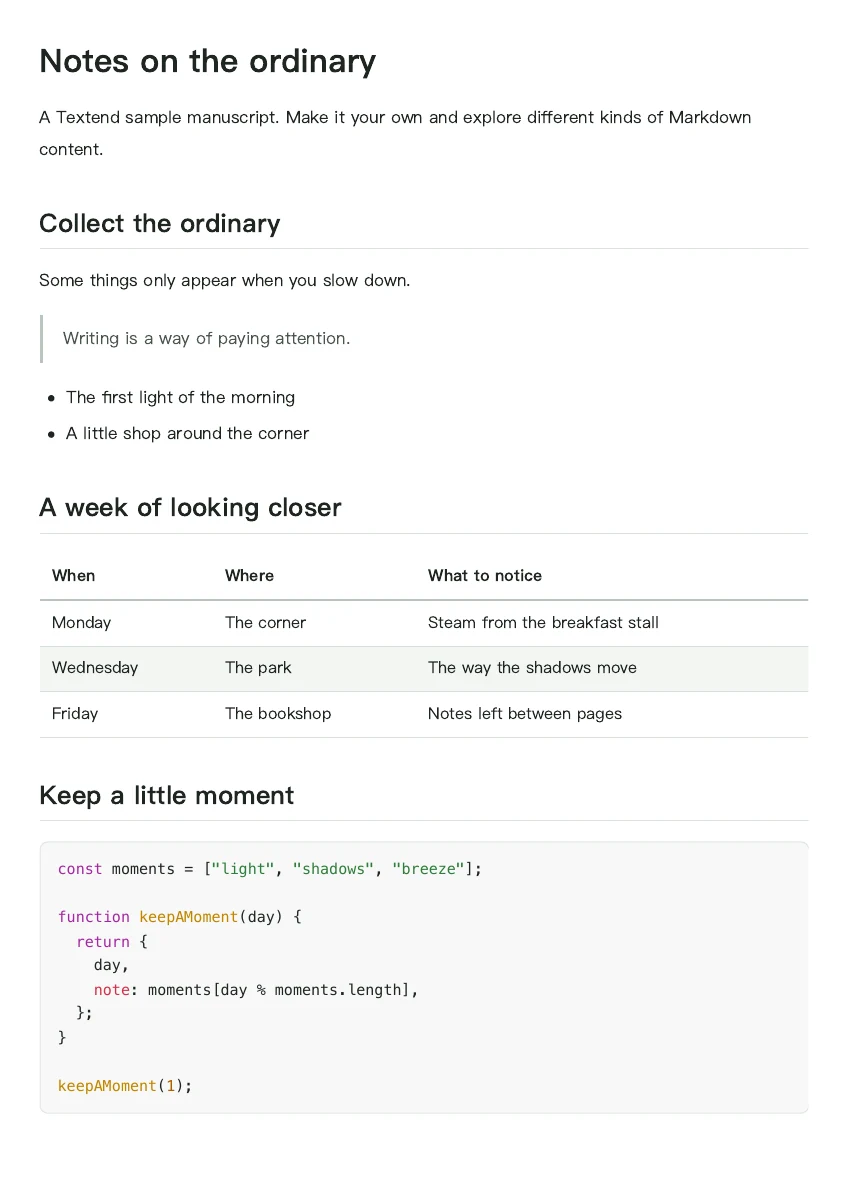
For meeting reading, archiving, or printing, PDF delivers the pages generated for that version. Both sample PDFs fit on one page and retain the source headings, table content, and code. The image below is rendered directly from the matching PDF.
For a longer manuscript, inspect more than the first page. Look for headings stranded at page ends, readable tables across page breaks, and clipped pictures or code. Reviewing the page thumbnails and every page is more useful than merely confirming that the file opens.
PDF is useful as a reading version, but keep the writing source too. When you need to change a sentence, add a section, or update a table, return to the retained Markdown draft.
Read HTML in a browser; publishing a URL is a separate step
Export HTML when someone wants to read formatted content in a browser. Download this sample as an HTML file and open it in a browser to view its headings, list, table, and code. The recipient does not need Textend installed.
Generating an HTML file does not automatically publish it at a public URL. To share a web address, choose where to host it and who may access it. You can deliver the file as an attachment; publishing a site is a separate action.
This sample HTML has no pictures, so it does not test image dependencies. For an illustrated article, check how local pictures appear in the export and whether remote ones remain accessible. A file working on your computer does not establish the recipient’s network or access conditions.
Check five things before sending
Keep the final check focused on the five points below. Choose the format for its intended use, then open it in the tool the recipient will use. Inspect the actual file you will send rather than the source still open in Textend.
Add checks for equations, Mermaid diagrams, footnotes, or a table of contents when your manuscript uses them. A format may retain editable structure, use a reading representation, or report a fallback. Inspect the result and product feedback for those elements.
- Content: title, numbers, key paragraphs, and the final paragraph are present.
- Structure: headings, quotations, lists, and tables remain readable.
- Layout: fonts, wrapping, and page breaks suit reading or editing.
- Resources: the pictures and other dependencies actually used are available.
- Version: the filename and sent version correspond to the retained source.
Keep the same source ready for the next revision
Try a small pass with this sample: change one row of the observation plan in Textend, save, and export the required format. Reopen the exported file, find that row, and check its text and table layout. You can complete the task without learning Markdown source.
The source and the delivery then have clear roles: Markdown for continuing revisions, DOCX for a recipient who will edit, PDF for the reading pages of this version, and HTML for a browser. Keep the draft you can continue, then choose the delivery around the recipient’s next step.